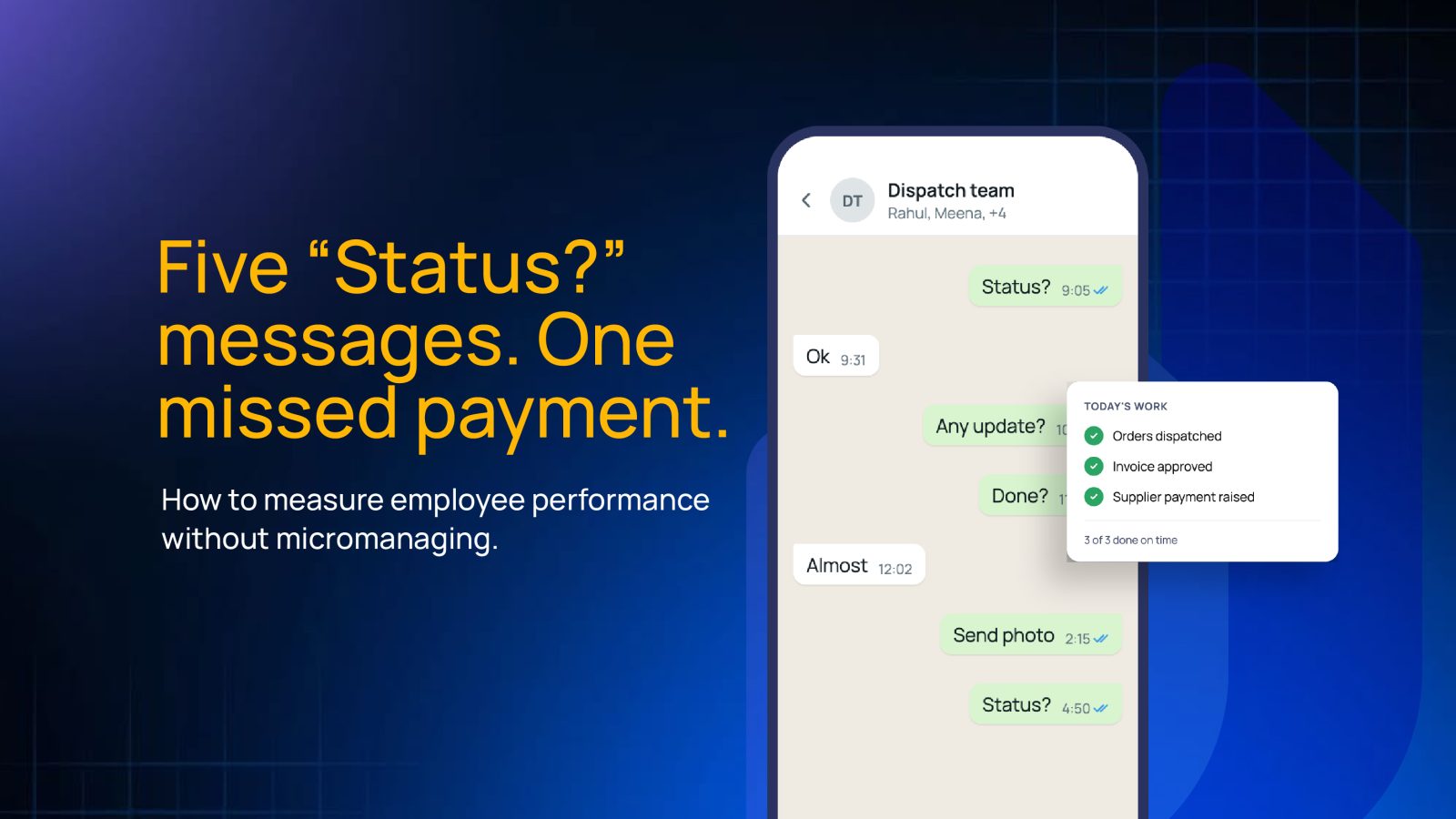
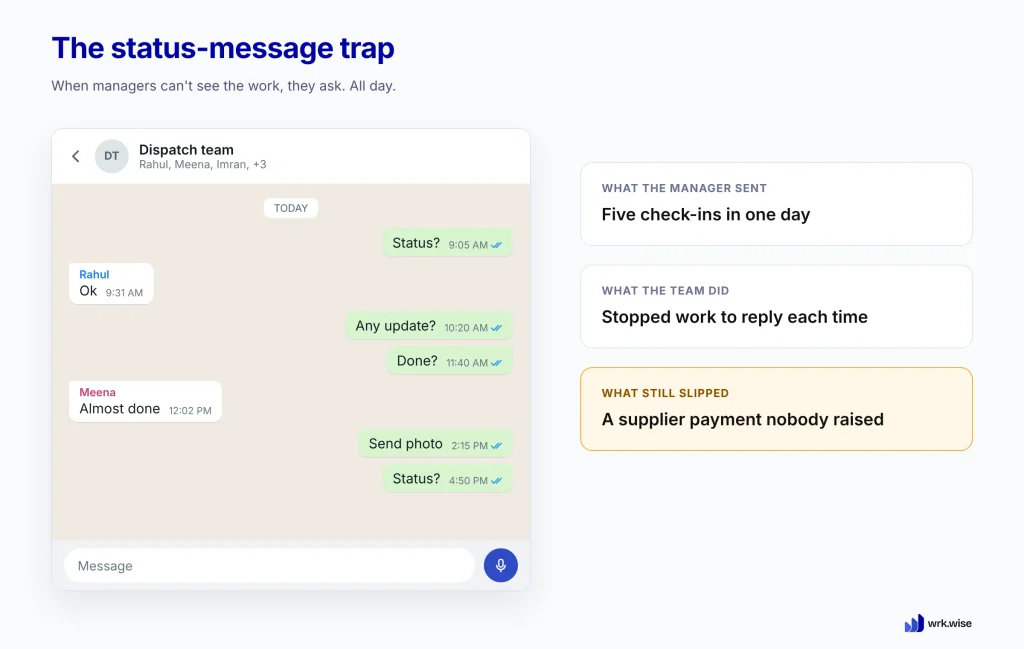
It’s 11:40 on a Tuesday morning. The operations manager of a packaging company in Ahmedabad has already sent the same WhatsApp message four times.
“Status?” to the dispatch supervisor. “Status?” to the accounts executive. “Any update?” to the purchase team, twice. Because the first one only got a thumbs-up.
By evening, she has her answers. Two orders went out on time, and one invoice is still waiting for approval.
A supplier payment due on Friday was never raised. She found out when the supllier called her.
She checked on people all day and still missed the one thing that mattered. Her team spent the day replying to her instead of finishing their work.
Most micromanagement starts like this. Managers rarely want to hover, but when they can’t see the work, asking is the only way to know where it stands.
The fix is to make work visible, so nobody has to ask. This guide explains why watching employees doesn’t improve performance and what to measure instead. It ends with five steps to measure employee performance without micromanaging.
To measure employee performance without micromanaging, agree on what “done” means and when it’s due before the work starts. Give every step one owner, record completed work against its deadline, review only the work that’s late or stuck. You judge results, not how busy people look.
Why Managers Micromanage When They Can’t See the Work
People usually blame micromanagement on personality. The manger is controlling, the story goes or doesn’t trust anyone. Sometimes that’s true.
In most growing businesses, though, the cause is simpler and easier to fix: the manager has no reliable way to see what’s happening, so they fill the gap by asking, checking and following up.
The Trust Gap Between Leaders and Their Teams
Microsoft’s Work Trend Index found a striking split in India. 93% of Indian employees said they were productive at work. At the same time, 91% of Indian leaders said hybrid work made it hard to be confident that their people were productive (Microsoft Work Trend Index, 2022).
The same research found that 44% of companies rarely or never collected feedback from employees. Both groups can be telling the truth. Employees know how hard they work because they’re the ones doing it. Leaders only see what reaches them: a message here, a finished report there, and long stretches of silence in between.
The survey was about hybrid work, but the same blind spot shows up anywhere work moves between people, floors or branches. When that gap stays open, doubt fills it. A manager who can’t see progress starts asking for it, and soon the asking becomes a habit.
What Micromanagement Looks Like in a Growing Business
In a growing business, it rarely looks dramatic. It looks like a WhatsApp group where task ends with “done?” and every reply gets “send photo.” It looks like a manager copied on every email, signing off on decisions the team could make on its own, and running a weekly meeting where everyone reads out status updates.
To the manager, none of this feels like control. It feels like staying on top of things.
The cost shows up on both sides. The team waits for answers before acting, and people stop flagging problems early because they know the next check-in will catch them anyway.
The manager becomes the busiest person on the office and the bottleneck for every decision. Managers are already stretched: Gallup found that manager engagement worldwide fell from 30% to 27% in a single year, the steepest drop of any group (Gallup, 2025). A manager who spends the day chasing updates has little left for the work only they can do.
Signs You’re Micromanaging Without Realizing It
Few managers think of themselves as micromanagers. Most would say they’re simply being careful. The habits creep in slowly, one follow-up at a time, until checking on people takes up more of the day than the work itself.
Read through the list below and count how many sound like your week:
- You ask for status update on work that isn’t due yet.
- You hear about problems from customers or suppliers before your team tells you.
- Your team waits for your go-ahead on decisions they could make on their own.
- You quietly redo finished work instead of explaining what needed to change.
- Your phone buzzes with “done” messages all day, and you still aren’t sure what’s left.
- Work slows down whenever you take a day off.
- You judge effort by who stays late or replies fastest.
If several of these feel familiar, look at what you can see before you look at your team. Most of these habits grow from the same root: you can’t tell where the work stands without asking someone.
The usual fix is to watch people more closely. Unfortunately, the research shows that this tends to make things worse.
Why Watching Employees Doesn’t Improve Performance
When a manager can’t see the work, the next step often feels obvious: watch the people. Screen trackers, activity scores, location pings and webcam check-ins all promise the same thing, which is proof that everyone is working. Plenty of companies have taken that step.
In Own Labs’ 2024 survey of 2,000 US workers, 46% said their employer had added or increased monitoring software in the past year. (Own Labs, 2024). The research on what that achieves is far from encouraging.
What Research Says About Employee Monitoring
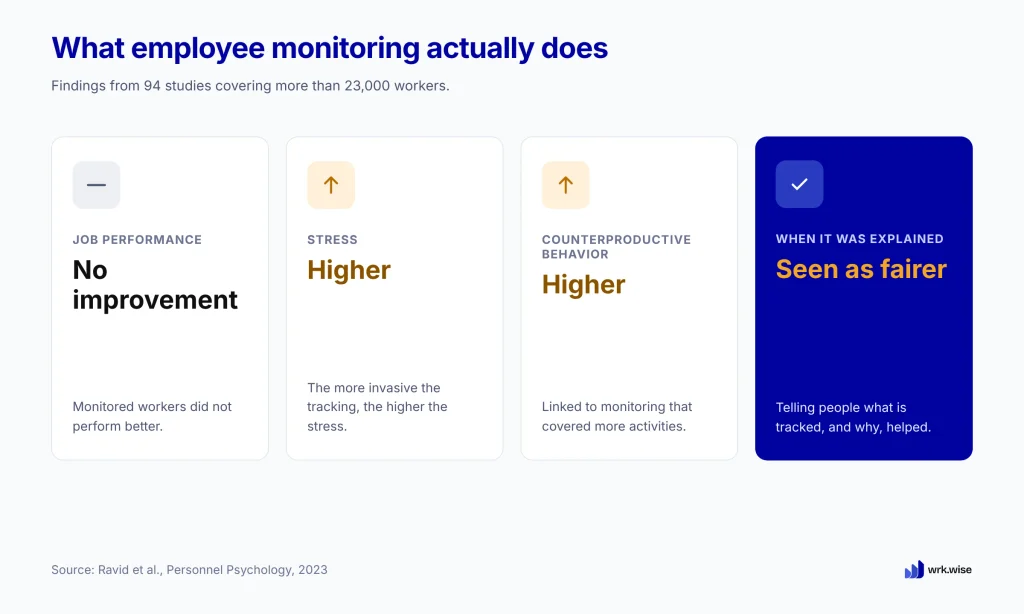
The largest review so far combined 94 studies covering more than 23,000 workers (Ravid et al., Personnel Psychology, 2023). The researchers looked for a link between electronic monitoring and better job performance, and they didn’t find one.
What they found instead was the cost. Monitored employees reported more stress, and the more invasive the tracking, the higher the stress. Monitoring that covered more of a person’ activities was also linked to more counterproductive behaviour, which is the very thing it was meant to prevent. The one bright spot was transparency. When companies explained what they tracked and why, employees saw the process as fairer.
Put simply, closer watching added stress without adding performance.
This matters in India too. The Digital Personnel Data Protection Act allows employees to use employee data for employment purposes. Legal experts stilladvise that intrusive tools such as screen recording and keystroke logging need a strong reason behind them (King Stubb & Kasiva, 2026).
How Constant Tracking Leads to Task Masking
Monitoring also changes how people behave, though not in the way managers hope. In two studies reported in Harvard Business Review, US employees who were told they were being monitored were more likely to cheat on tasks and take unapproved breaks than those who weren’t.
The researchers suggest that monitoring shifts the sense of responsibility. Once someone elses is watching, doing the right thing starts to feel like the watcher’s job.
The everyday version has a name: task masking. People learn what the tracker counts and give it exactly that. They keep their status green, reply to messages within minutes and budge the mouse whenever the screen goes idle. The activity looks healthy, while the work behind it may have stalled.
The WhatsApp check-ins in Ahmedabad work the same way on a smaller scale. The operations manager’s team learned to reply fast. A fast reply still didn’t raise the supplier’s payment.
If tracking activity can’t show performance, the real question is what can. The answer starts with changing what you measure.
What to Measure Instead of Activity
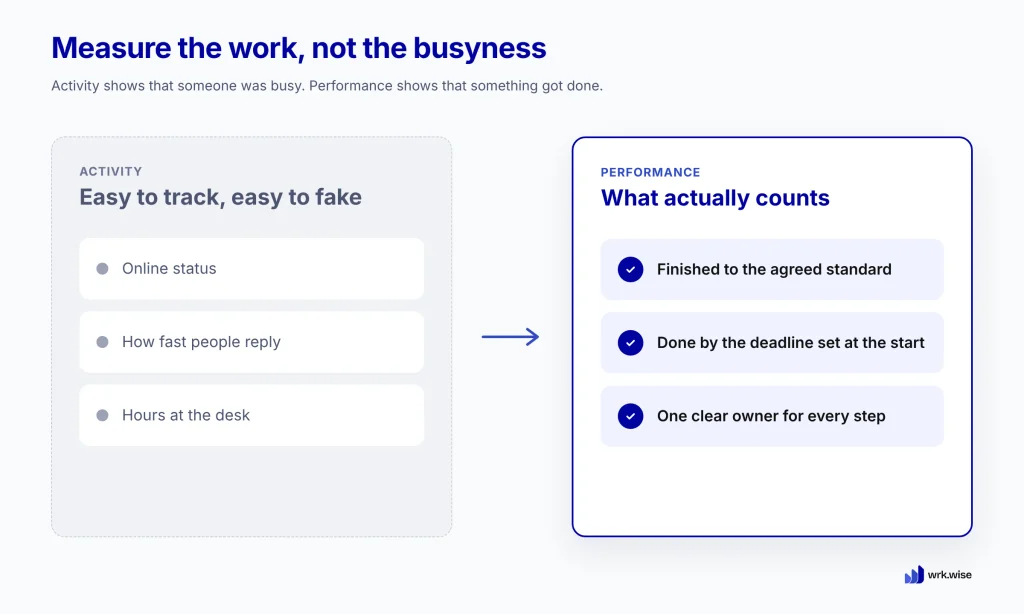
Activity tells you that someone was busy. Performance tells you that something got done, on time, by the person responsible for it. To measure performance without hovering, a manager needs only three things on record: what was finished, when it was due and who owned it.
Finished Work, Not Time Online
The simplest measure is also the most honest: was the work completed to the agreed standard? An order that left the warehouse, an invoice that got approved, a payment that went out. Each one either happened or it didn’t, and nobody can fake it by looking busy.
This works best when “done” has a clear meaning. “Dispatch the order” can mean many things. “Pack the order, check it against the invoice, hand it to the transporter and upload the delivery note” means one thing. Once the finish line is written down, a completed task tells you far more than hours online ever could.
Deadlines Agreed Before the Work Starts
A finished task tells only half the story. A supplier payment raised three days late still damages the relationship, even if the money arrives in the end.
That’s why the deadline belongs at the start of the work. When everyone knows the due date before they begin, lateness becomes a fact on record instead of a debate. The manager no longer has to ask “is it done yet?” because the deadline already answers that.
It also makes reviews fairer. A record of completion dates against deadlines set in advance is much harder to bend than a manager’s memory of who seemed slow. We explore this in more detail in Why Fair-Looking Appraisals Still Feel Unfair.
One Clear Owner for Every Step
Work slips most often in the gaps between people. In Ahmedabad, the purchase team assumed accounts would raise the supplier payment, while accounts waited for a request from purchase. Both teams were busy, but nobody owned the step.
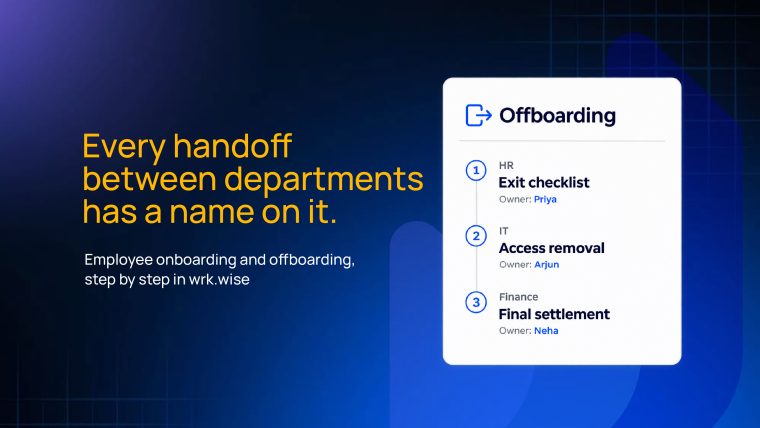
Giving every step exactly one owner closes that gap. The owner can be a person or a designation, such as Accounts Executive, so the step still has someone responsible when people change jobs or go on leave. There’s always one name to ask, and most of the time there’s no need to ask at all.
Finished work, deadlines and ownership are simple things to measure. The hard part is collecting them without becoming the manager who asks all day. The five steps below show how.
How to Measure Employee Performance Without Micromanaging in 5 Steps
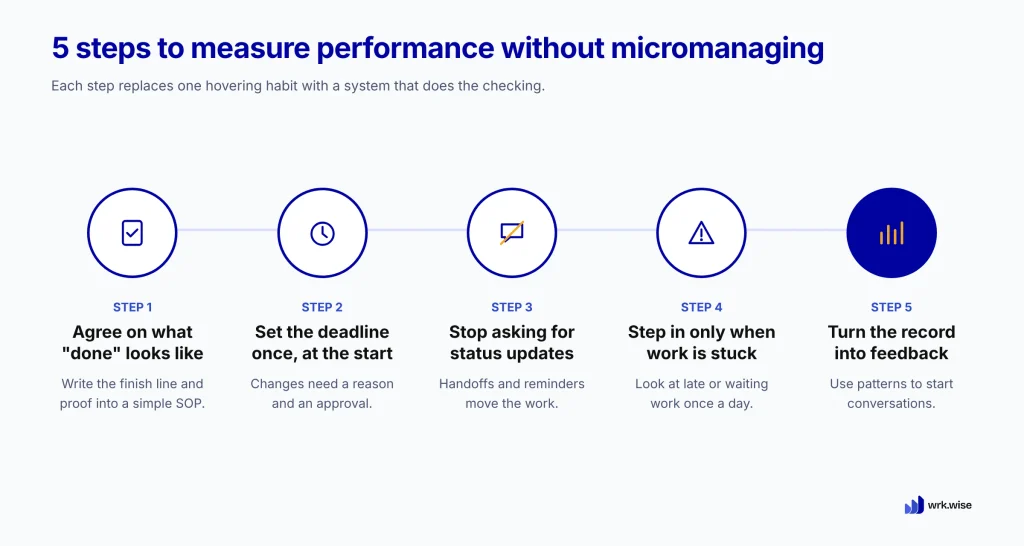
Each step below replaces one habit of hovering with a system that does the checking for you.
1. Agree on What “Done” Looks Like
Before the work starts, write the finish line down in a simple SOP. List the steps, the standard for each one and the proof that marks it complete, such as an uploaded delivery note or a ticked checklist. When everyone agrees on “done” in advance, nobody has to judge it afterward. Start with the one process that causes the most follow-up calls in your week.
2. Set the Deadline Once, at the Start
Give each step a due date when you set up the process, in hours or days, and then leave it alone. A deadline that moves every time someone asks soon stops meaning anything. When a real delay comes up, the employee should request an extension with a reason, and the request should need an approval. That way, even the change is on record.
3. Stop Asking for Status Updates
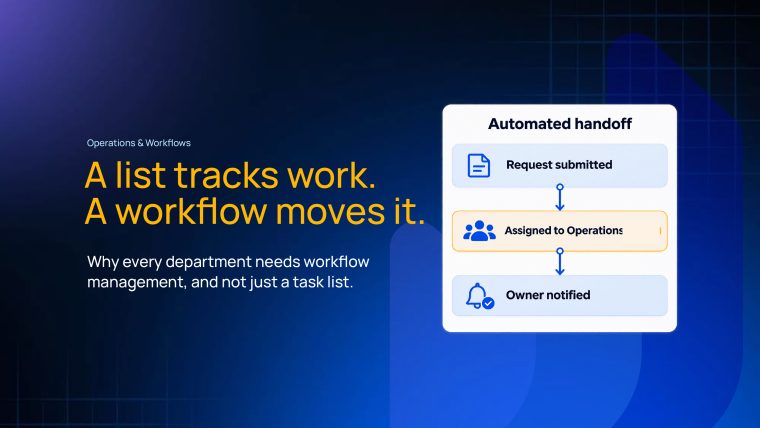
Most status messages ask a single question: has the last step finished? Let the process answer it. When each completed step passes the work automatically to the next owner, with reminders before every deadline, the work moves without anyone chasing it. Your phone gets quieter, and your team spends that time finishing work instead of reporting on it.
4. Step In Only When Work Is Stuck
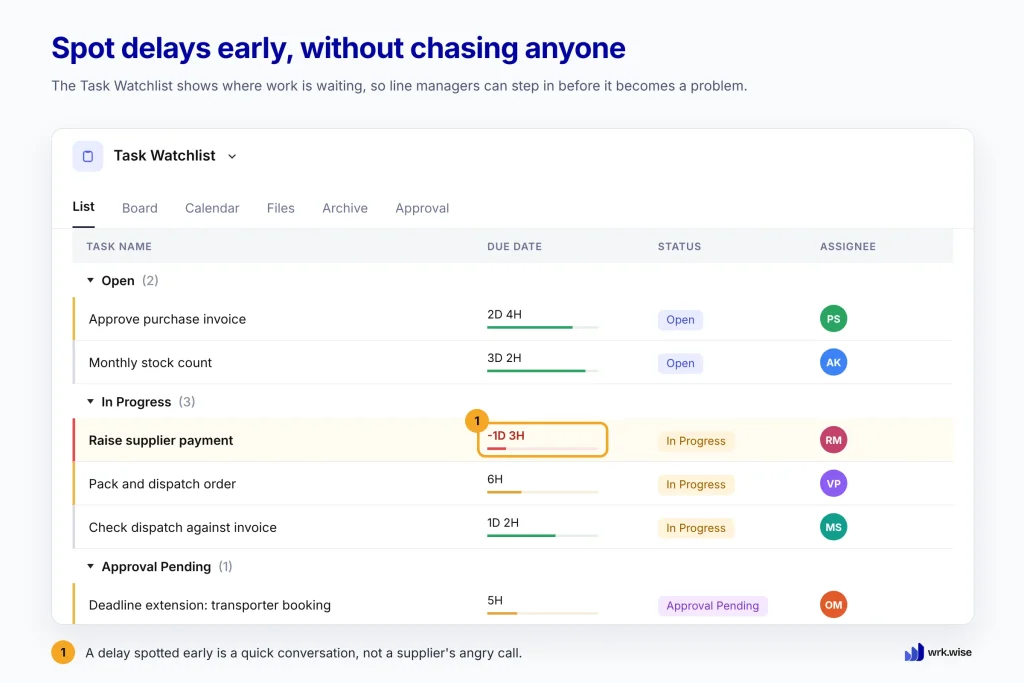
You don’t need to review every task. Once a day, at a set time, look only at the work that is running late or waiting too long at one step. That short list shows you where to help. A delay you spot on Tuesday needs one quick conversation. The same delay found on Friday, through a supplier’s angry call, is a much bigger problem.
5. Turn the Record Into Feedback
After a month, the record of finished work against deadlines shows patterns that check-ins never could. You might see a designation that’s always overloaded, a step that’s always late, or a quiet employee who finishes everything early. Use these patterns to start conversations, not to replace them. Ask what got in the way before you decide what a late task means.
How wrk.wise Helps You Measure Performance From the Work Itself
wrk.wise turns these five steps into the way work runs every day. You build each process once as an SOP and set the owner, deadline and proof of completion for every step at the start. An owner can be an employee, a designation or a whole department.
Each time the process runs, wrk.wise creates the tasks for you. When someone completes a step, the next task goes automatically to the next responsible person, and reminders go out before every deadline. Nobody has to chase the handoff.
Every completion is recorded against the deadline set when the SOP was created. Line managers can spot delays early on the Task Watchlist and step in before a small slip turns into a supplier’s angry call. Employees can see their own record of completed work too, so the record is clear to everyone, not only to the manager.
When appraisal time comes, that same record feeds into the score alongside feedback. Reviews then rest on what actually happened, instead of on whoever followed up the most.
Trust the Record, Not the Check-In
The operations manager in Ahmedabad never needed more messages. She needed a clear view of the work: what was finished, what was due and who owned each step. Once that view exists, most check-ins become unnecessary, and managers get their time back to lead.
Start with one process, make it visible, and let the record do the asking.
Book a 20-minute walkthrough to see how wrk.wise can run your first SOP.
Frequently Asked Questions
How do you measure employee performance without micromanaging?
Measure outcomes instead of activity. Define each task’s finish line and deadline before the work begins, and give every step one owner. Let completed work be recorded as it happens, then review only the exceptions, such as late or stuck tasks, instead of checking on people all day.
What is the difference between monitoring and micromanaging?
Monitoring tracks activity, such as screen time, keystrokes or location. Micromanaging is the habit of closely controlling how and when people do their work. Both focus on the person rather than the result, and research links heavy monitoring to more stress without better performance.
Does employee monitoring software improve productivity?
The evidence says it doesn’t. A 2023 review of 94 studies covering more than 23,000 workers found no link between electronic monitoring and better performance. It did find higher stress, especially with more invasive tracking. Explaining what is tracked and why helped employees see it as fairer.
What performance metrics should a small business track?
Start with three: tasks completed to the agreed standard, tasks completed on or before their deadline, and how long work waits at each step. Together they show output, reliability and bottlenecks without tracking hours online. Add measures specific to each process, such as dispatch accuracy, once these are in place.
How often should a manager check in with employees?
Hold a regular one-to-one conversation every week or two, and use it for support and growth rather than status updates. Day-to-day progress should come from the work record. Between those conversations, step in only when a task is late or stuck.